Online flower shop for Studio Deluxe in Poznań
Studio Deluxe, a flower studio in Poznań that people already know well offline. But you don't have to leave home for a beautiful bouquet. I built an online shop where everything is simple: pick flowers, pay for the order and get same-day delivery. This isn't a screenshot: scroll and click right here.

Scroll the laptop screen and tap the menu, categories, bouquets and links at the bottom. This is a mini copy: four shop pages, the cart and payment don't work here.
TaskWhat the website had to do
A bouquet without leaving home
Zamów bukiet i spraw radość bliskim bez wychodzenia z domu.
The studio was already known and loved offline. The shop had to bring that experience to the phone: find a bouquet in a few clicks, pay right away and get same-day delivery.
ProcessSeven steps to launch
Design doesn't come first
First I figure out what I'm building, because changes on a diagram are quick and cheap, but on a finished design they aren't.
-
01
Brief
I ask about the business, the customers and the website's goals. Studio Deluxe sells bouquets, flowers in boxes and baskets, balloons and gifts, and delivers across Poznań and the surrounding area.
Who does what
- You: tell me about the business and the customers.
- Me: ask questions until the picture is clear.
- Deliverable: written answers and website goals.
- What's the business?
- A flower studio in Poznań
- What do you sell?
- Bouquets, flowers in boxes and baskets, balloons, gifts
- Where do you deliver?
- Poznań and the surrounding area, same day
- What should the site do?
- Catalogue, cart, online payment, delivery
-
02
Specification
This is the list of exactly what I build: catalogue sections, product page, payment, delivery, languages. That way nobody has to guess what was meant.
Who does what
- You: read and confirm.
- Me: write down everything we decided.
- Deliverable: a list of sections, features, payment methods and languages.
- Catalogue
- flower and balloon sections, filters by price, number of flowers and bouquet size
- Bouquet page
- photo, price, description and an “add also” block
- Payment
- card, BLIK, Przelewy24, Apple Pay, Google Pay
- Delivery
- same day if ordered before 19:00, or pickup
- Languages
- seven languages, switcher in the header
- Platform
- WordPress, the client adds bouquets and changes prices herself
-
03
Structure
I draw the sitemap and the customer's path from the first screen to payment. You can see where people choose a bouquet and how many steps it takes to order.
Who does what
- You: check that the path makes sense for your customers.
- Me: map out every section.
- Deliverable: a shop structure diagram.
How the shop is structured
Section names stayed in Polish, as on the site, with a translation under each.
Strona głównahome, from here four menu sectionsKwiatyflowers: roses, hydrangeas, mixes, boxes, basketsBalonyballoons by occasionUsługiservices: wedding floristry, flower subscriptionInformacjeabout the studio, flower vending machine, FAQ, contactsCustomer path
- Kategoriacatalogue section with filters
- Produktbouquet, price and “add also”
- Koszykcart
- Zamówieniedelivery and payment
- Moje kontoaccount with orders
Separate pagesDostawa i płatnośćdelivery and paymentLista życzeńwishlistRegulamin sklepushop termsPolityka prywatnościprivacy policy -
04
Wireframe
This is a black-and-white layout of every page, with no colour or photos.
Why: we agree on the order of blocks while changes are quick and cheap, and nobody gets distracted by looks.
Who does what
- You: approve the logic and block order.
- Me: draw screen after screen.
- Deliverable: approved page layouts.
Black-and-white layout of the first screen
To be honest: this layout was drawn from the finished first screen to show the principle.
-
05
Design
The style goes on top of the approved layout. The shop speaks the studio's brand language: a clean grotesque in headlines, a soft typeface in body text and the signature fuchsia on every buy button.
Who does what
- You: review the style and approve it.
- Me: design mockups for desktop and mobile.
- Deliverable: finished mockups for both versions.
Design idea
Montserrat
Headlines and buttons
A geometric grotesque. Clean and confident, reads well in capitals.
Lato
Body text and prices
Soft and calm. Bouquet descriptions and prices stay readable even at small sizes.
- Fuchsia#CF006F, buttons and accents
- Powder#FEE4EB, hints and menu background
- Light grey#F7F7F7, block background
- Graphite#242424, headlines
Kwiaty i balony z dostawą tego samego dnia
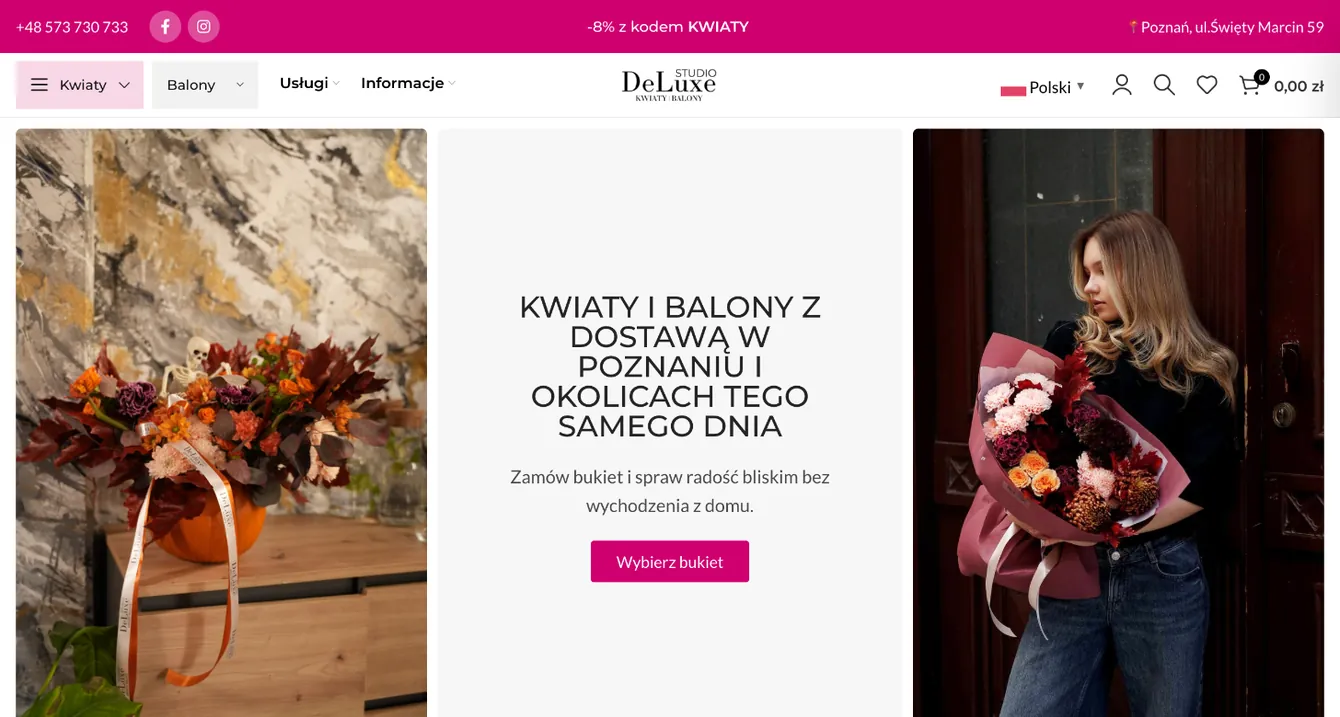
Zamów bukiet i spraw radość bliskim bez wychodzenia z domu.
Wybierz bukietThe shop's first screen, built from the brand's fonts and colours
How it looks on the site's pages
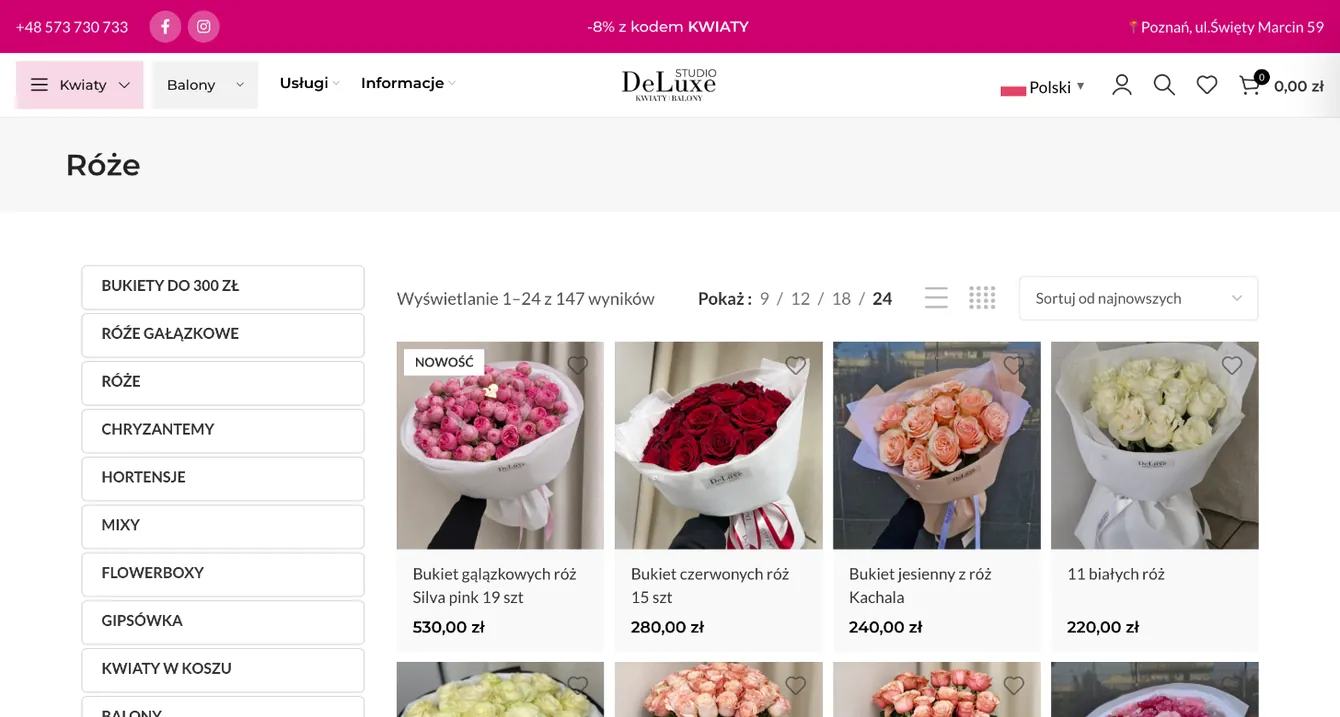
![“Roses” catalogue in the Studio Deluxe shop]()
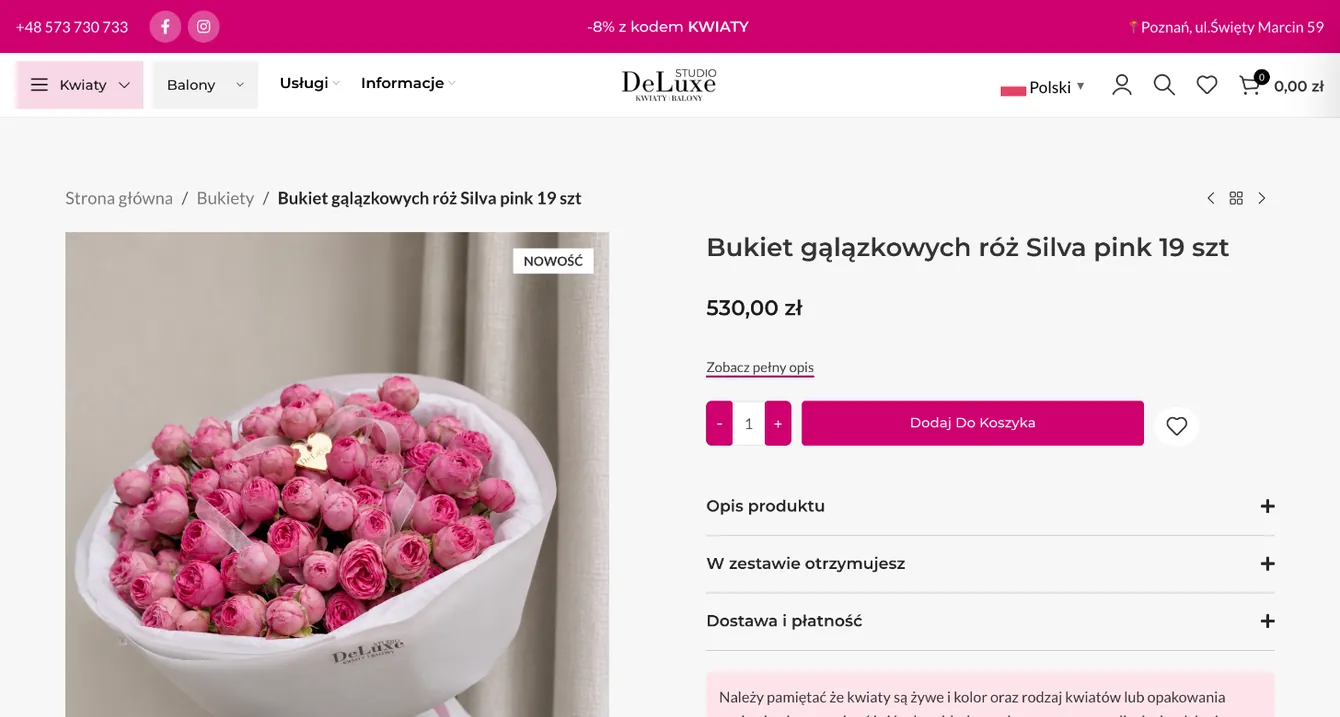
![Bouquet page in the Studio Deluxe shop]()
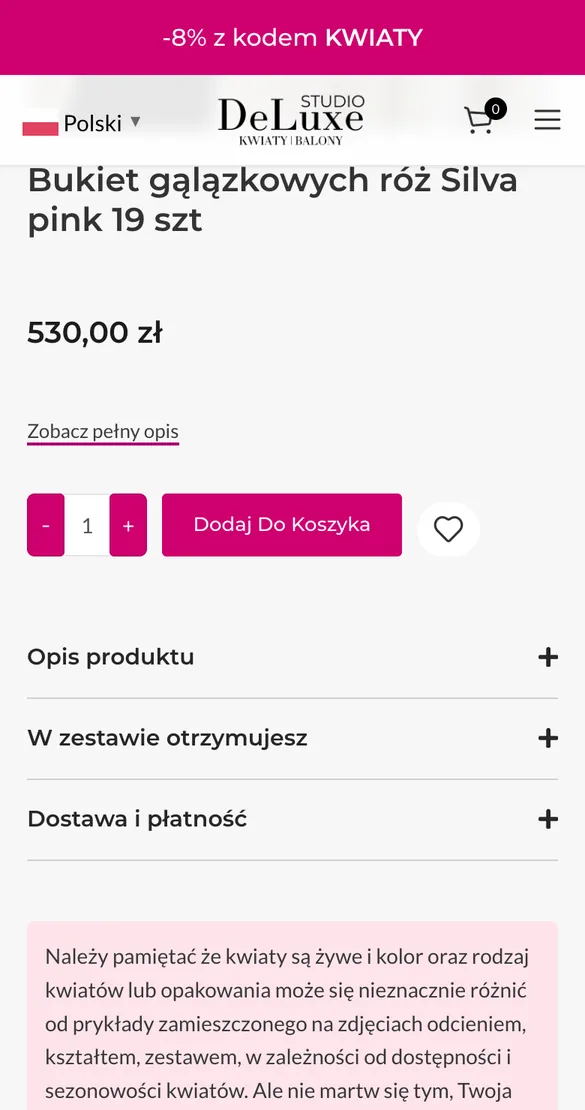
![Studio Deluxe bouquet page on mobile]()
-
06
Build
Only now do I build the shop on WordPress from the mockups, in Elementor Pro (a builder that makes it easy to edit the site without a developer). Catalogue, cart, payment, delivery, languages and the settings that help the shop get found on Google are already inside.
Who does what
- You: get a link to the working version and see how everything looks.
- Me: build the catalogue, bouquet pages, cart and checkout, and connect payments and languages.
- Deliverable: a working shop you fill in yourself.
![Homepage of the built Studio Deluxe shop]()
- 7languages
- 6payment methods
- 3addresses on the map
-
07
Testing and launch
I check on desktop and mobile and walk the customer's path from catalogue to payment. Launch only after that.
Who does what
- You: review the result and give the go-ahead to launch.
- Me: check every page, the cart and payment.
- Deliverable: a launched shop your team runs on its own.
- On desktop
- On mobile
- Catalogue, filters and bouquet pages
- Cart, delivery and payment
- Launch
SolutionWhat's inside
From bouquet to payment in a few clicks
A catalogue that makes choosing easy
Bouquets are sorted into sections: roses, hydrangeas, mixes, flowers in boxes and baskets, balloons. The price is visible right on the card.
- Sections in the menu and the sidebar
- Filters by price, number of flowers and bouquet size
- Sorting and how many bouquets to show
A gift with the bouquet, right away
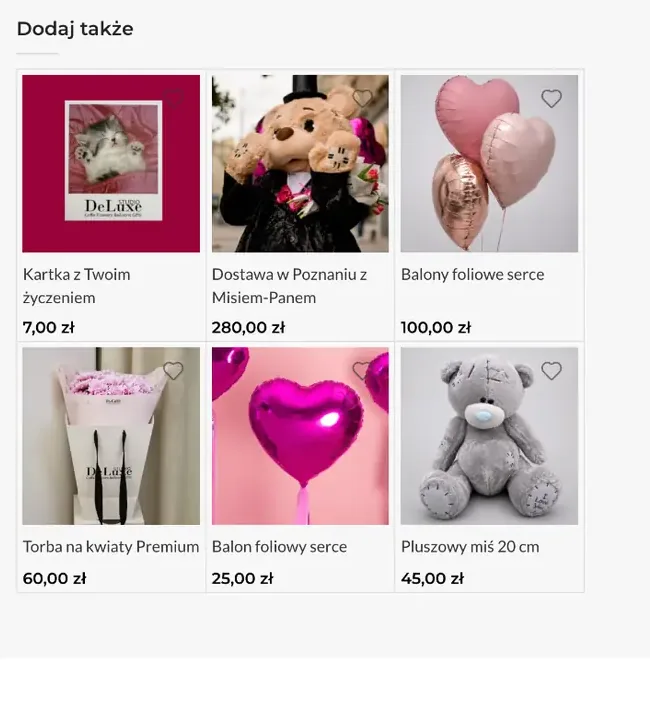
The bouquet page has a “Dodaj także” (add also) block. A greeting card, balloons, a teddy bear or a branded bag can be added to the order without searching the catalogue.
- Greeting card with your message
- Balloons and toys with prices right under the bouquet
- Description, contents and delivery in expandable blocks
- Same-day delivery
- If ordered before 19:00. Within Poznań even in two hours, seven days a week.
- Online payment
- Card, BLIK, Przelewy24, Apple Pay and Google Pay.
- Pickup
- Two studios in Poznań, open daily from 9:00 to 20:00, plus a flower vending machine that works around the clock.
- Seven languages
- Polish, English, German, Italian, Spanish, Ukrainian, Russian. Switcher in the header.
- Account and wishlist
- Customers see their orders and addresses, and save bouquets they like with a heart.
- Cookies by EU rules
- A cookie banner and a separate policy page, as EU law requires.
Three versionsPhone, tablet and desktop
Adapted for every device
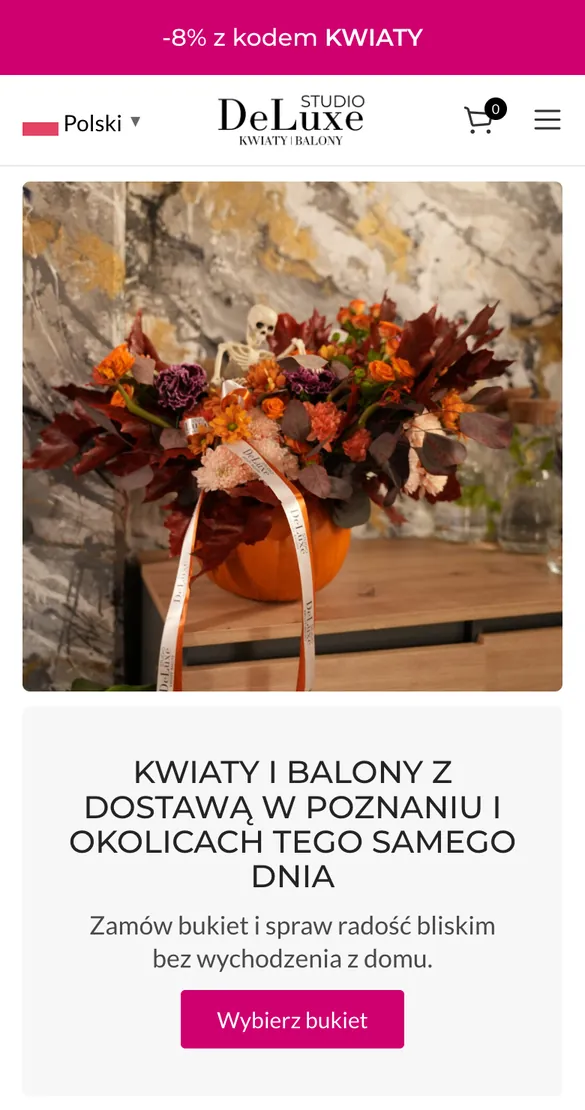
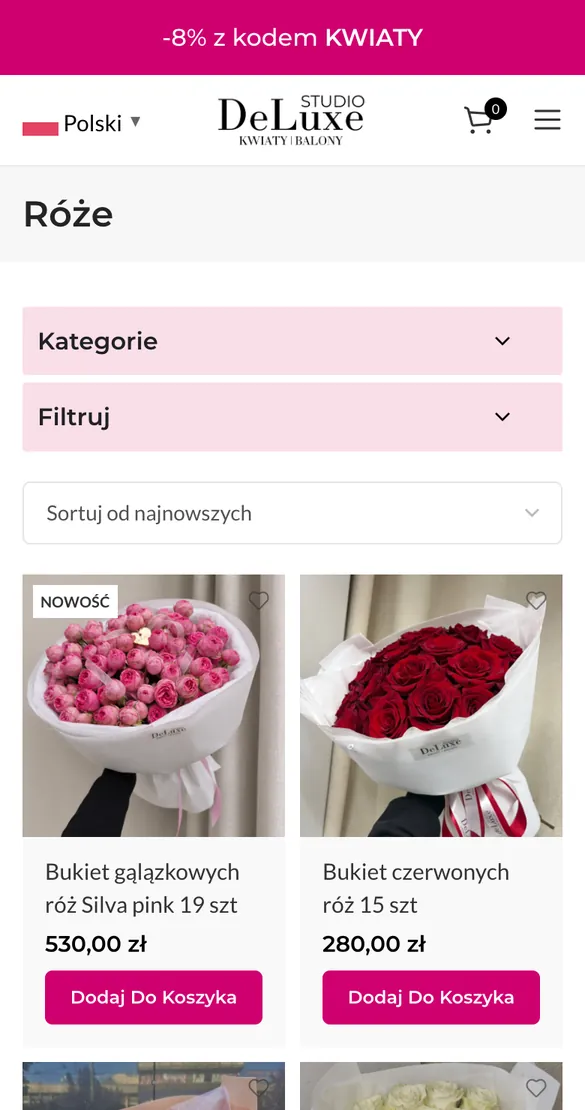
The mobile version is built separately: bouquets in two columns, an “add to cart” button under each, the cart always at hand. The tablet gets its own grid, halfway between phone and desktop.
- Menu under a three-line icon, with language and cart next to it
- Categories and filters collapsed so they don't get in the way of the bouquets
- “Dodaj do koszyka” button on every card
- Tablet: language, cart and menu in the header, under the photo a headline and a “Wybierz bukiet” button
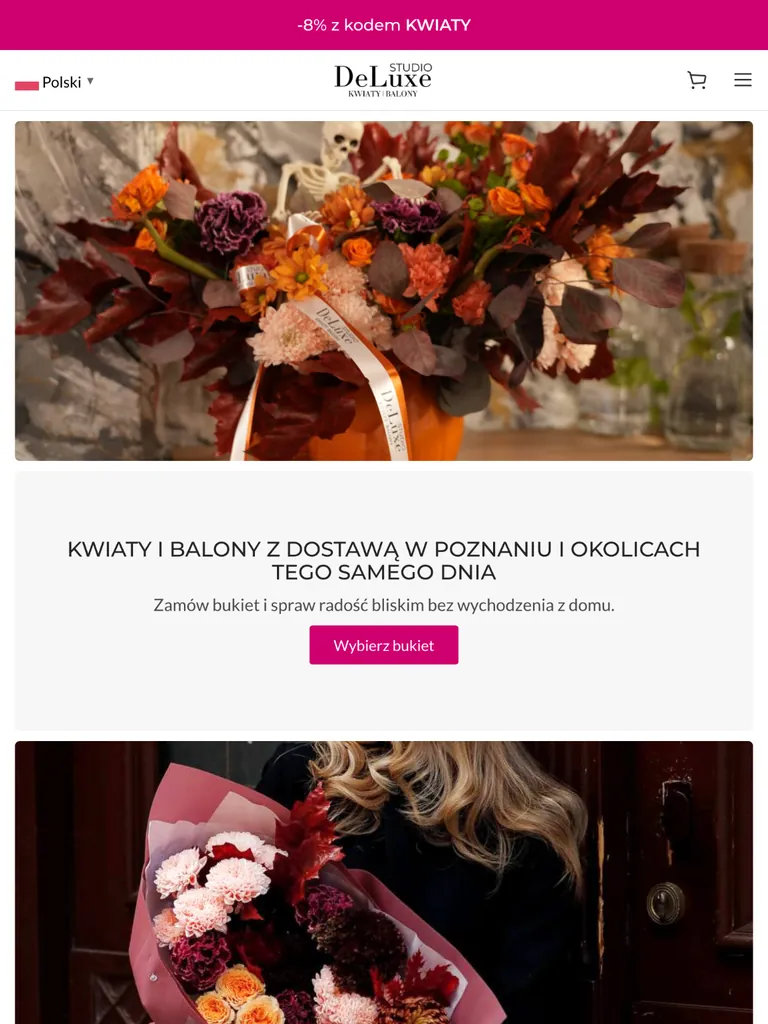
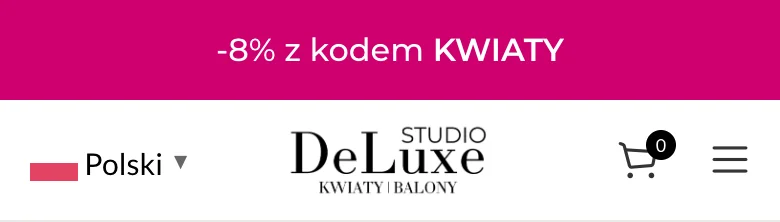
How the shop looks on a phone. Scroll the screen and tap «Wybierz bukiet» to open the catalogue. Two pages, the cart doesn't work here.
Swipe sideways →


Need a website for your business too?
Tell me about your project. I'll start with a conversation, not with design, just like here.